Browser extension
Stop known-risk sites before they load.
Snyfer Shield uses signed, locally stored browser rules to block connections to domains on the Snyfer risk list.
- Manifest
- V3
- List refresh
- 6 hours
- Account
- None
How protection works
One signed list. Three clear steps.
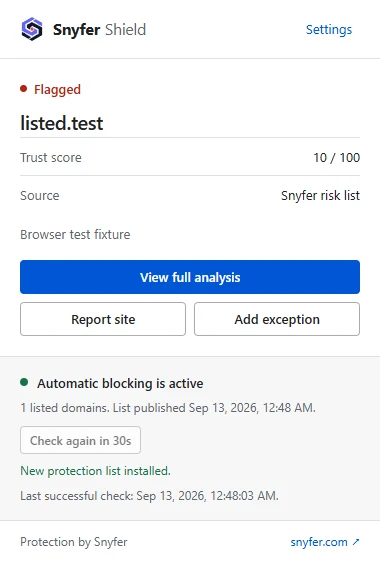
Shield protects with native browser rules first. Domain details are only requested when you open them or opt into warning banners.
- 01
Install a verified list
Shield downloads the Snyfer risk list, checks its Ed25519 signature and rejects invalid or older versions before protection changes.
- 02
Block in the browser
Native browser rules stop a connection to a listed domain before the page loads. The matching decision stays on your device.
- 03
Keep control
Open the popup for the domain, see why it was flagged, report it, or add a reviewed exception for that domain and its subdomains.
When a connection is stopped
A clear page, not a dead end.
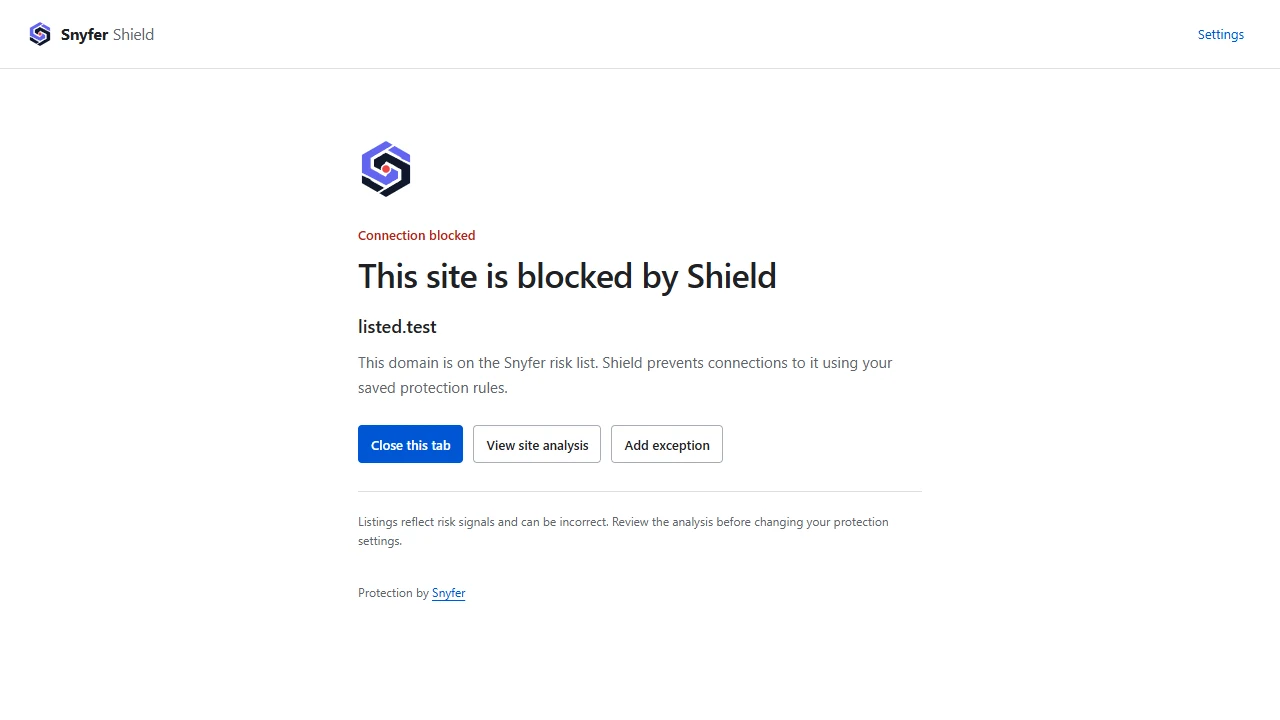
A blocked navigation opens a local Shield page. It names the domain, explains the action and gives you safe next steps: close the tab, inspect the Snyfer analysis, or review an exception.
Blocking still applies even if this page cannot open.
Your settings stay visible
Protection you can inspect and adjust.
There are no hidden modes. Each control describes what changes, including when a permission is optional and what an exception covers.
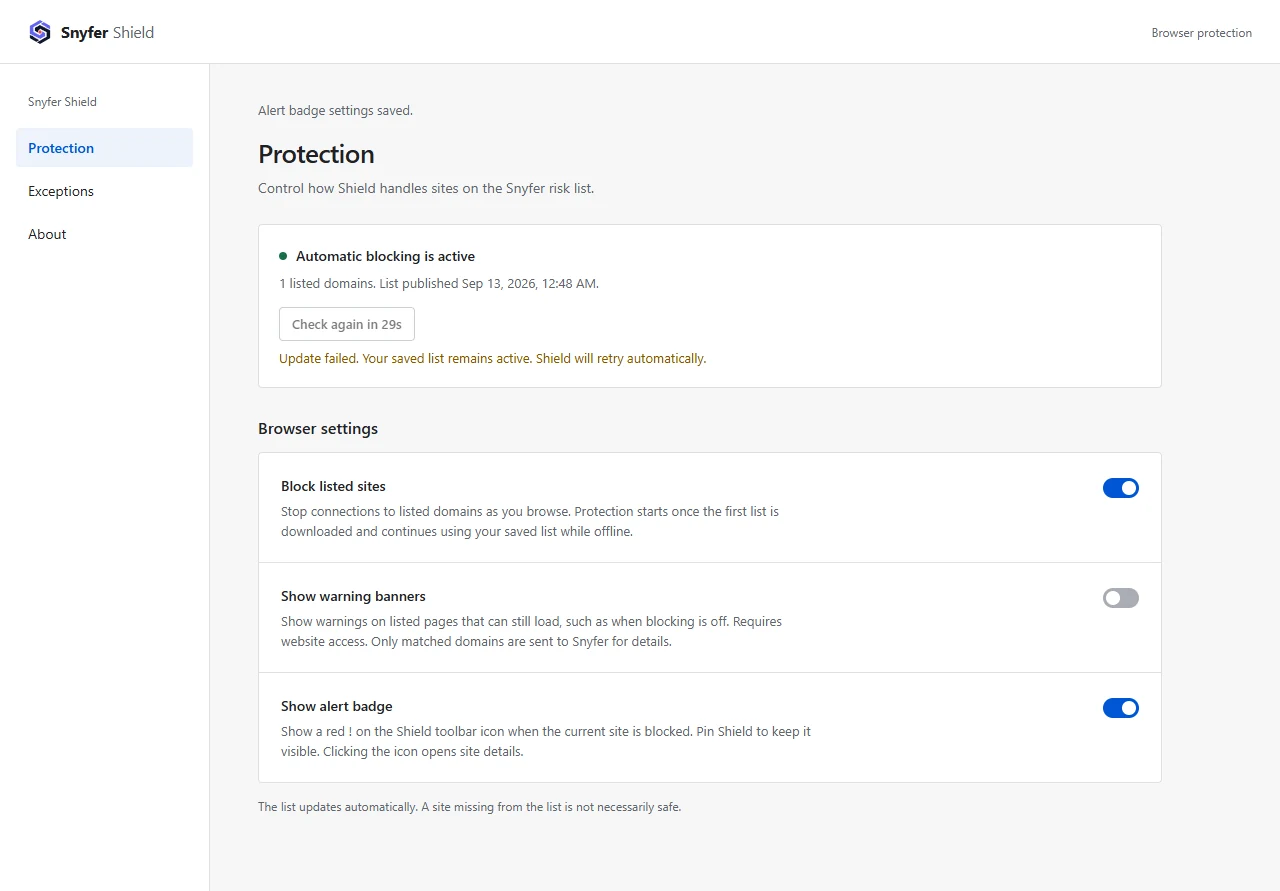
- Automatic blocking
- On by default after the first verified list is installed. Saved rules continue to protect you offline.
- Warning banners
- Optional. They need separate website permission and show a warning where a page is still able to load.
- Alert badge
- A red mark on the pinned Shield icon identifies a blocked tab. It can be turned off independently.
- Exceptions
- Apply only to the chosen registrable domain and its subdomains. Removing one restores protection immediately.
Exceptions are deliberate
Review an exception before you apply it.
Shield makes the affected domain and its subdomains explicit before turning blocking and warning banners off. You can remove the exception later to restore protection.
Read the extension privacy policy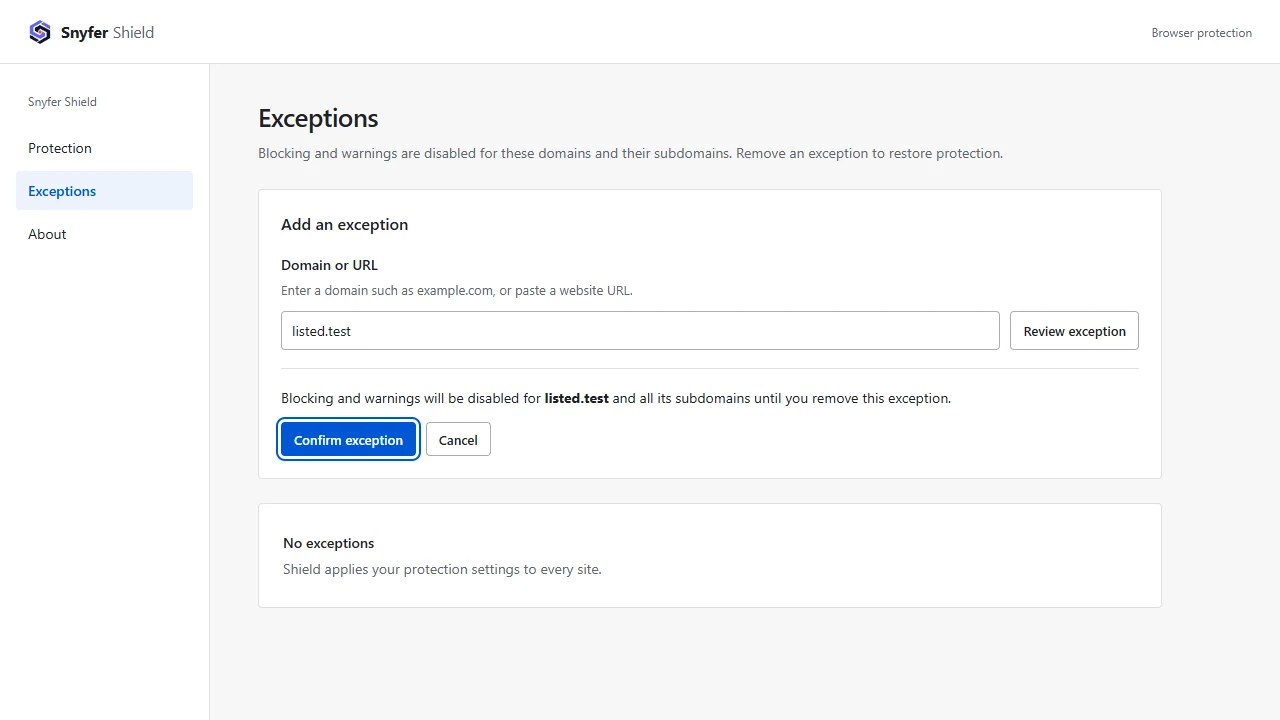
Privacy by design
Protection does not require a browsing history.
Local matching. Shield compares requests with the installed list in your browser. It does not upload every site you visit.
No account or analytics SDK. The extension has no account system, advertising or analytics SDK.
Targeted details only. Opening details for a listed domain or enabling banners can send that hostname to snyfer.com. Full URLs and page contents are not sent.